Products Mapping OTS
The mapping screen in reverse: you start from Odoo items and link them to Salla products.
It appears conditionally
This screen appears in the sidebar only when you have turned on Add New Product to Salla or Update Salla Product from Odoo on the Inventory tab.
Open Products Mapping OTS
The link opens the screen directly in the Integration Dashboard.
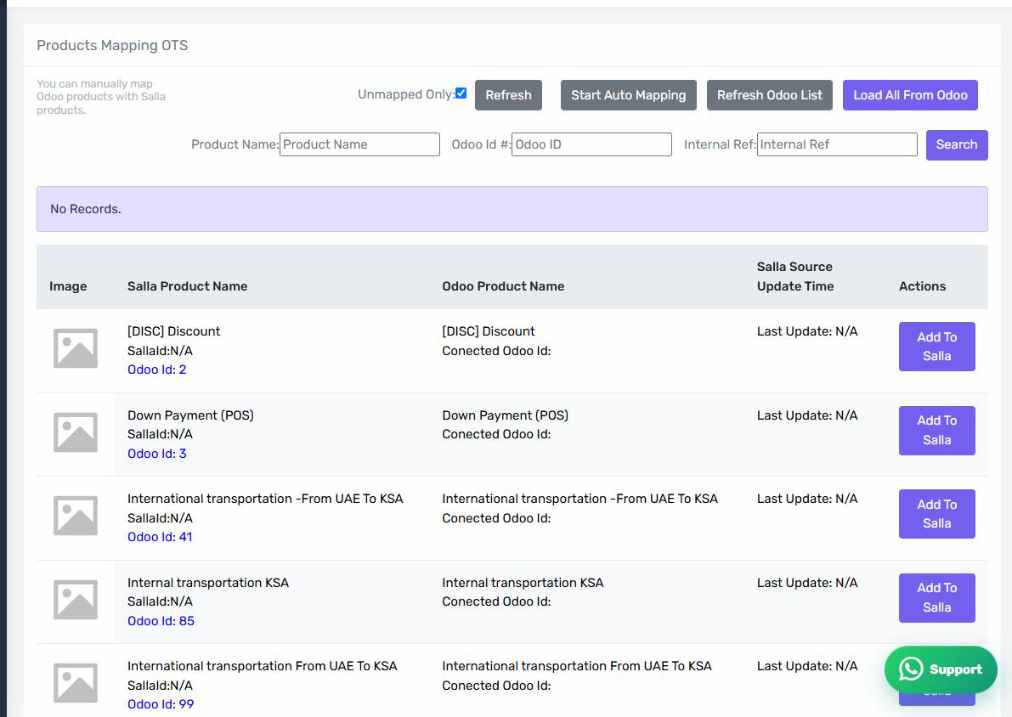
The Products Mapping OTS screen
How the screen appears in the Integration Dashboard.
What is different
The normal screen starts from Salla products and asks where their Odoo counterpart is. This one starts from Odoo items and asks where their Salla counterpart is. That is the right direction when Odoo is the source of your catalogue.
When to use it
Use it when you manage your catalogue in Odoo and publish it to Salla. If it is the other way round — catalogue in Salla — the normal screen is the right one.