Advanced configuration
The older screen that exposes every setting at once, and when you need it.
How to reach it
It has no sidebar entry. It opens from a small icon on the header of the Odoo Configuration panel, or from the link below.
Open Advanced configuration
The link opens the screen directly in the Integration Dashboard.
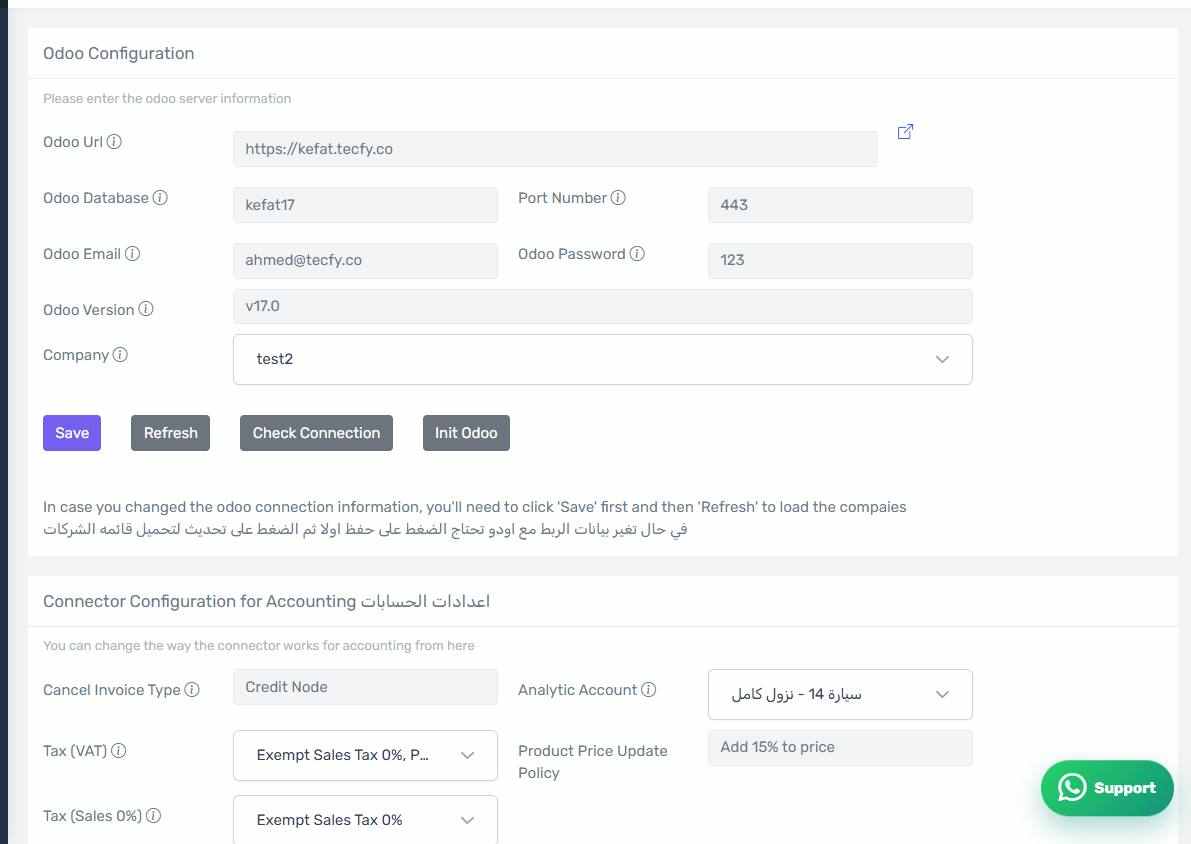
The Advanced configuration screen
How the screen appears in the Integration Dashboard.
What is different
The standard screen is organised into tabs and hides what you do not need. The advanced screen shows every configuration field on one page with no thematic grouping, including rarely used fields that the standard screen omits.
Use it carefully
There is no review-changes dialog here to protect you as there is on the standard screen. Support will usually point you at one specific field; do not experiment across them.
The two screens share their data
Both screens edit the same settings. What you change in the advanced screen appears in the standard one and vice versa.