Reading the badges on an order
Every marker on an order row and what it says about its state in Odoo.
The badges on an order row
How the screen appears in the Integration Dashboard.
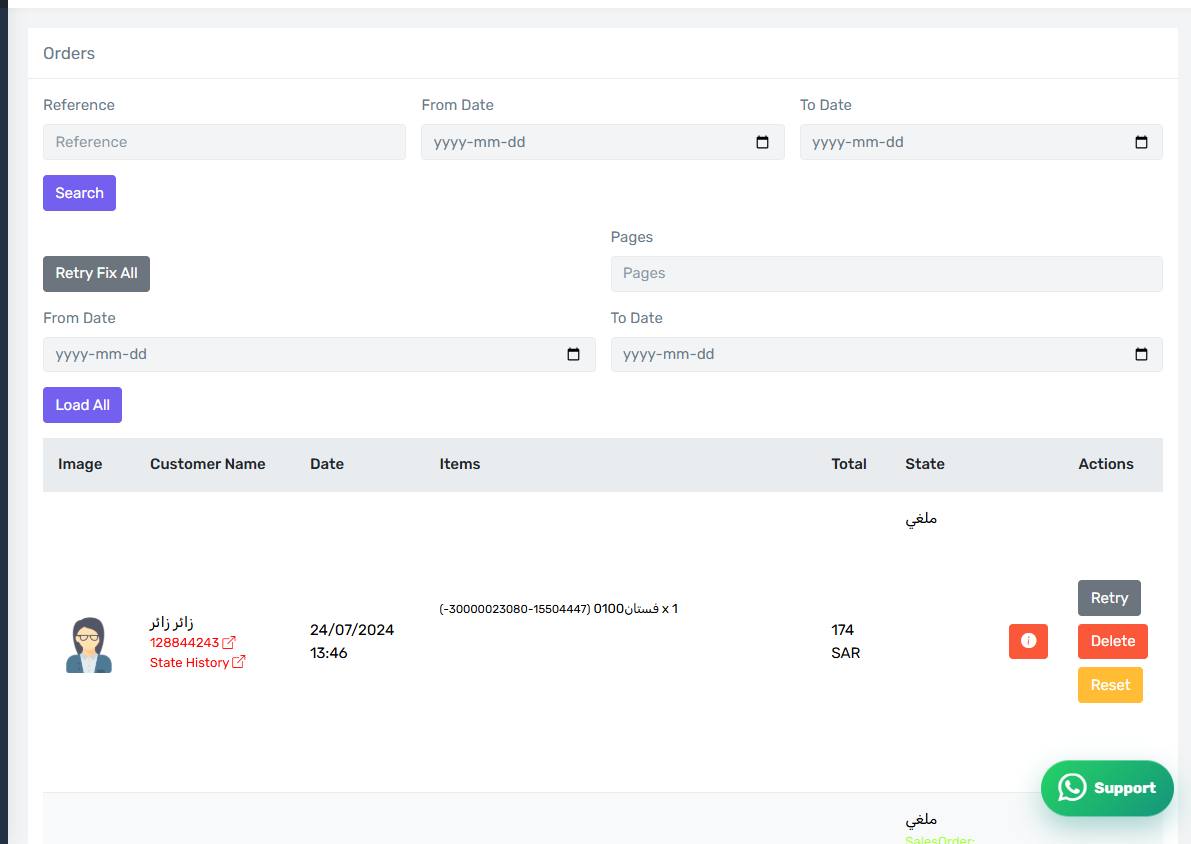
Selling badges
- Sales order — a sales order was created in Odoo, with its number shown.
- Approved — the sales order was confirmed and is no longer a quotation.
- Stock picking — the goods movement was created or validated.
Invoicing badges
- Invoice ID — the invoice was created.
- Posted — it was posted and is no longer a draft.
- Paid — the payment entry was registered.
- Credit note ID — a credit note was created on a cancellation or return.
ZATCA badges
On Odoo 19.3 or later two colour-coded badges appear:
- ZATCA Status for the invoice.
- ZATCA Credit Note Status.
Green means ACCEPTED, orange means WARNING, and red means anything else — including not submitted yet.
The invoice URL badge
A small green "Url Invoice" badge means the invoice link was sent to the Salla order and the customer can see it. It appears only when you enabled the option on the From Odoo to Salla tab.
The red order-lines badge
A red badge carrying an error message means the connector tried to update the sales-order lines in Odoo and could not. Hover it to read the reason, and see "When an order changes in Salla".
No badges at all
A row with no badges means the order reached the connector but no step ran on it. Usually its status is not in any list on the Status tab.