The Products Quantities screen
Managing quantities on Odoo.sh hosting: following them, comparing against Salla, and re-sending.
Odoo.sh hosting only
This screen is for Odoo.sh hosting only. On Odoo Online you get "Products Quantities (Online)" instead.
Open Products Quantities
The link opens the screen directly in the Integration Dashboard.
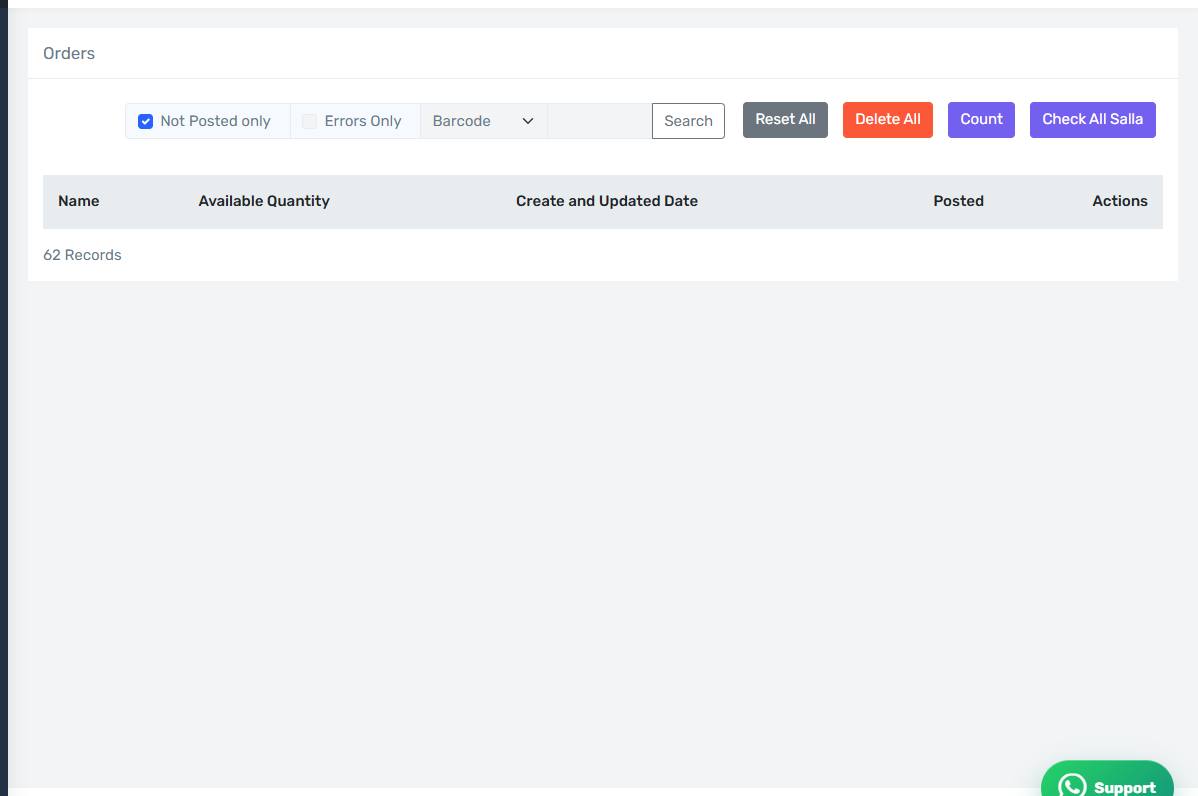
The Products Quantities screen
How the screen appears in the Integration Dashboard.
What it shows
Every item the connector has received a quantity for from Odoo, with the available quantity, whether it was sent to Salla, and the error message if there is one.
The filters
- Not Posted only — items whose quantity has not reached Salla yet. This is your work list.
- Errors Only — the ones whose send failed, with the reason.
Check All with Salla
The connector compares the quantity it holds for each item against the real quantity in Salla and shows the differences. The best tool for confirming your store actually shows the right quantities, not merely that the connector believed it sent them.
Set Not Posted
Marks items as not sent, so they are pushed again on the next cycle. Use it when you suspect Salla never received the update.
Reset and Reset All
Reset clears the stored quantity record so it is rebuilt from Odoo. Reset All does that for every item, which is heavy on a large store. Use it only when something is broadly wrong.