Testing the connection
The three buttons in the Save menu, and what each one is for.
Save and Reload
The main button. It saves the connection details, then re-reads the lists from both Odoo and Salla. Use it after every change to the connection details.
Reload
Re-reads the lists from Odoo and Salla without saving. Use it when you have added a new journal or warehouse in Odoo and want it to appear in the dropdowns here.
Check Connection
Attempts a connection to Odoo and reports the result. This is the button that gives you the real error message when things are not working.
Init Odoo
Prepares the base data the connector needs in Odoo. You do not need it day to day; support will usually be the one to ask you to run it.
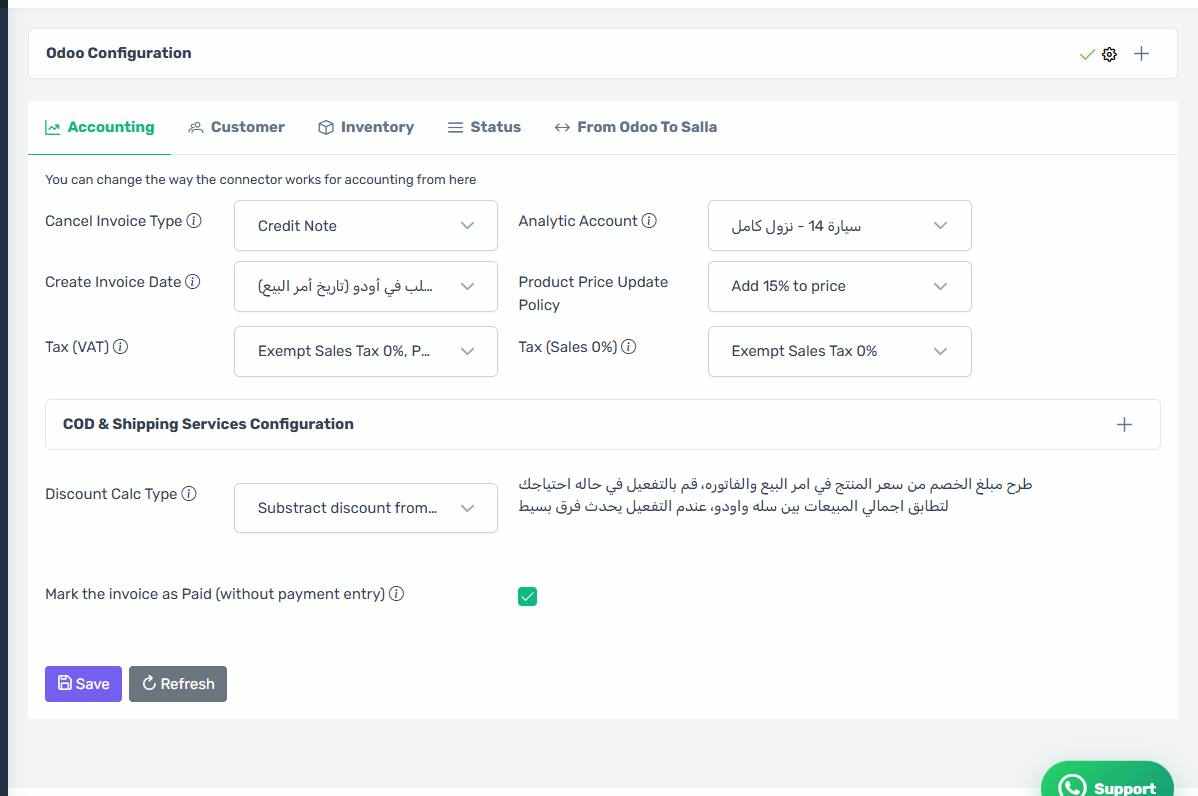
The full Configuration screen
How the screen appears in the Integration Dashboard.
The Salla connection too
The Salla connection is separate from the Odoo one. A red bar at the top of the screen means the problem is on the Salla side, not Odoo — see "Reauthorizing the app".