What the connector does
The four moving parts of the integration, and which direction data moves between each pair.
Four moving parts, no more
The Salla ⇄ Odoo integration has exactly four moving parts:
- Your Salla store — the source of orders and customers.
- The connector service — runs on Tecfy servers, receives Salla events, and talks to Odoo on your behalf.
- Your Odoo database — where sales orders, invoices and stock moves are created.
- The Integration Dashboard — the screen you are reading this manual for, where you configure everything and follow up on errors.
Every other page in this manual is about one of these parts or about the relationship between two of them.
Which way data moves
- Salla → Odoo: orders, customers, and products (optional).
- Odoo → Salla: product quantities, order status (optional), the invoice URL (optional), and products (optional).
Quantities move in one direction only: from Odoo to Salla. Odoo is the source of truth for quantity; the connector never reads a quantity from Salla to write it into Odoo.
What sets it all in motion
The connector is not, for the most part, a scheduled job — it is event-driven. When something happens in Salla (a new order, a status change, a product edit), Salla sends an immediate notification to the connector service, which then runs the steps you configured on the Status tab.
See "The order pipeline" for the order those steps run in.
Open the Integration Dashboard
The dashboard lives at https://salla.tecfy.co — the same dashboard every screen in this manual is opened from.
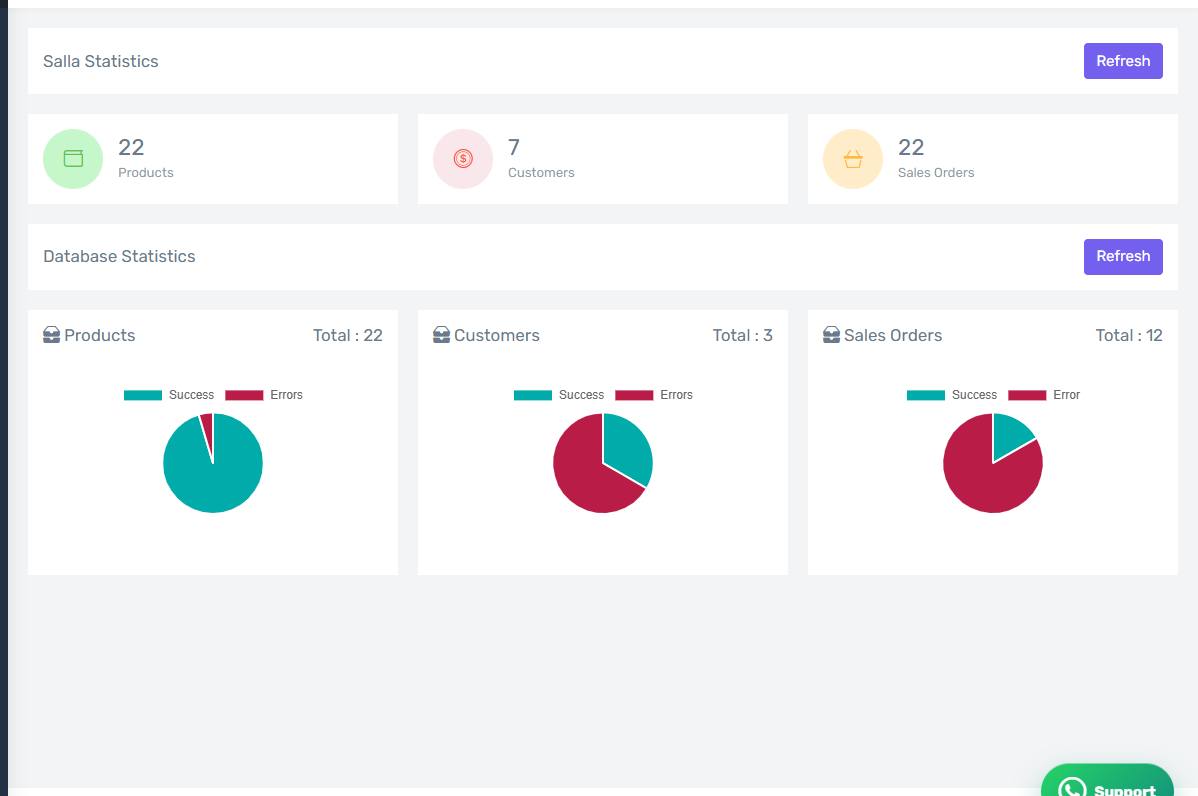
The dashboard home page
The home page after signing in, showing Salla statistics and connector database statistics.
This manual covers the merchant dashboard
The Merchants, Agents and Subscriptions screens belong to the Tecfy team and never appear for a merchant account, so this manual does not cover them.