Create Sales Order Error
Orders that never became an Odoo sales order. This is the first step in the pipeline, so its failure means nothing after it happens either.
Open Create Sales Order Error
The link opens the screen directly in the Integration Dashboard.
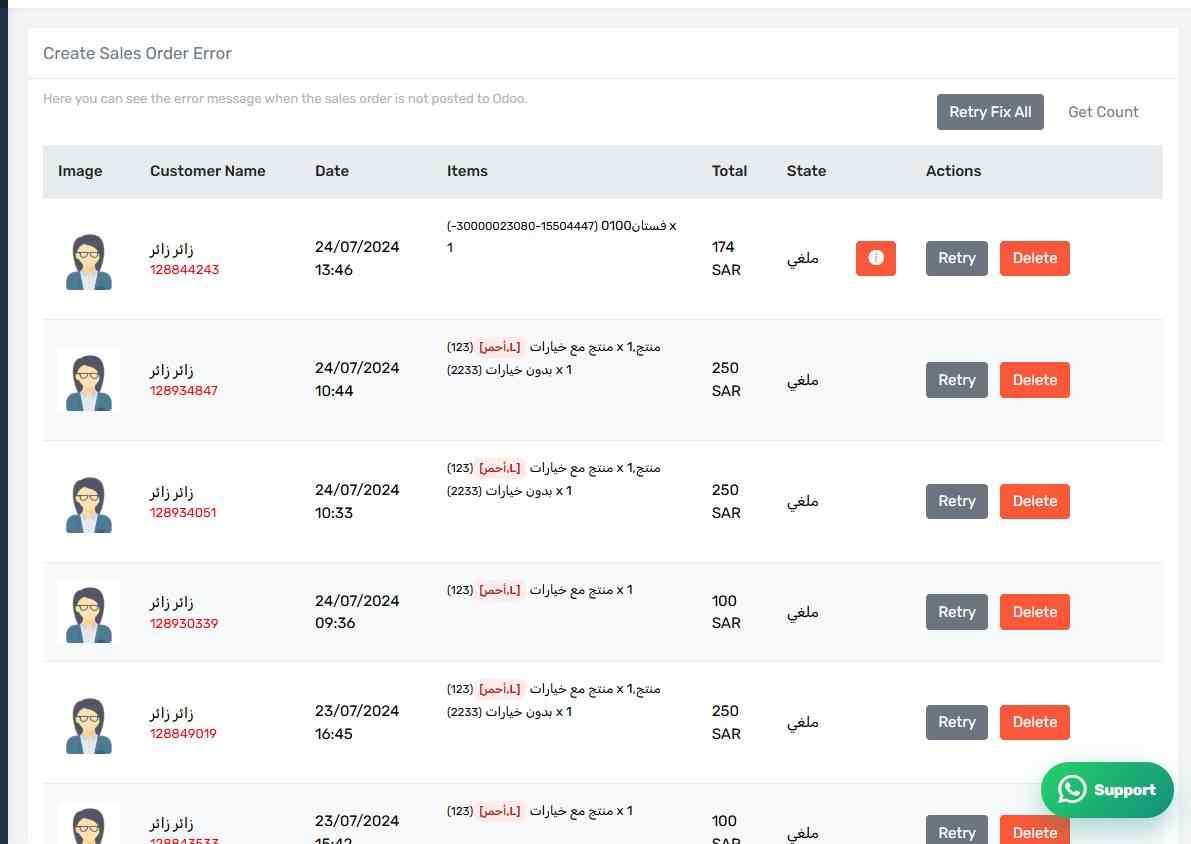
The Create Sales Order Error screen
How the screen appears in the Integration Dashboard.
What this screen lists
Orders that never became an Odoo sales order. This is the first step in the pipeline, so its failure means nothing after it happens either.
Common causes
- The customer or one of the products never reached Odoo — check the Customer Error and Product Error screens first; the cause is usually there.
- The sales journal is unset for the payment method used.
- The selected company does not match the company the items or journals belong to.
- The account lacks Sales rights.
How to clear it
Read the Odoo message on the row — it says exactly what is missing. Fix the cause in Odoo or in your settings, then press Retry on the row, or Retry Fix All if the cause is shared across every row.
Check the earlier screen first
If the same order appears on more than one error screen, start with the earliest in the pipeline. Fixing the first step usually clears the ones after it.