Customer Error
Customers the connector could not create or update in Odoo. An order whose customer does not exist in Odoo gets no sales order.
Open Customer Error
The link opens the screen directly in the Integration Dashboard.
The Customer Error screen
How the screen appears in the Integration Dashboard.
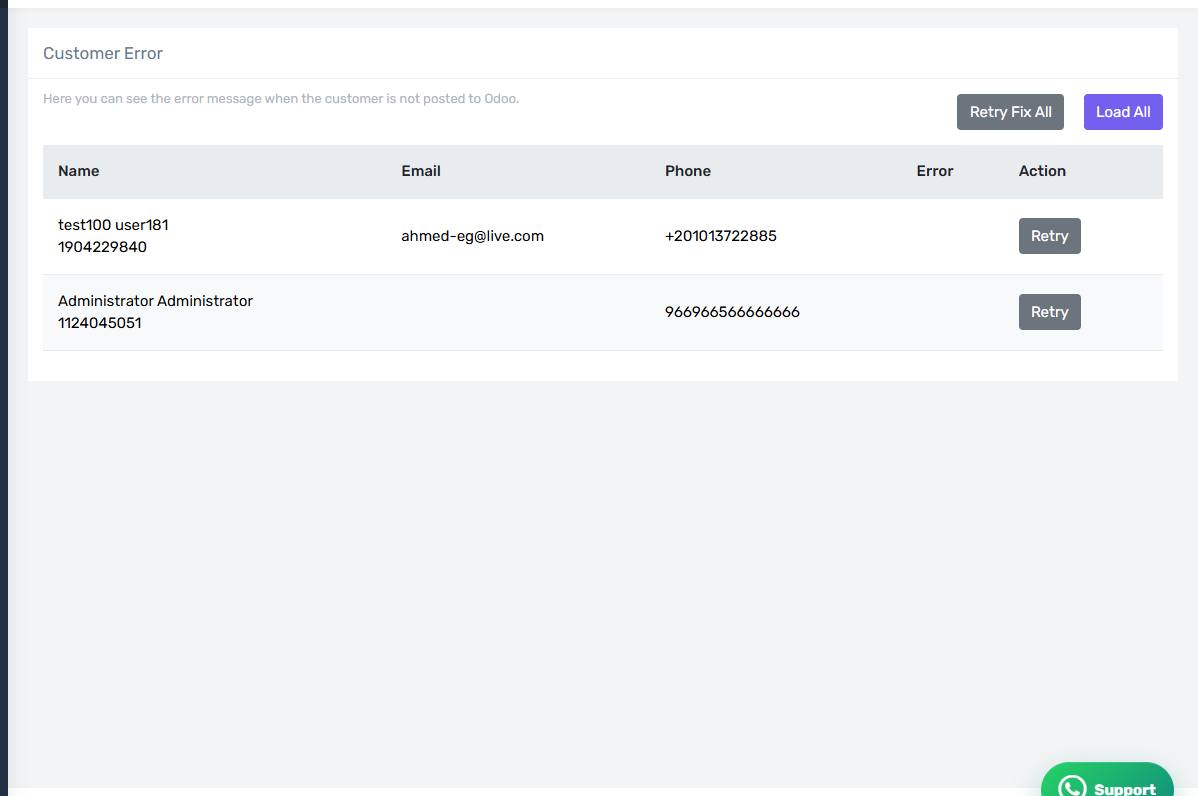
What this screen lists
Customers the connector could not create or update in Odoo. An order whose customer does not exist in Odoo gets no sales order.
Common causes
- A required field is empty in the customer data coming from Salla, usually the name or the country.
- A rule on Odoo contacts rejects the creation.
- The receivable or payable account is unset on the Customer tab.
- The account lacks Contacts rights in Odoo.
If you use the shared customer approach this screen rarely fills; when it does, the configured shared customer itself is usually invalid.
How to clear it
Read the Odoo message on the row — it says exactly what is missing. Fix the cause in Odoo or in your settings, then press Retry on the row, or Retry Fix All if the cause is shared across every row.
Check the earlier screen first
If the same order appears on more than one error screen, start with the earliest in the pipeline. Fixing the first step usually clears the ones after it.