AI Assistant for HR and Attendance
Ask in plain English or Arabic. Get attendance reports in seconds, and set up employees and shifts just by asking — with your permissions, and nothing saved until you confirm.
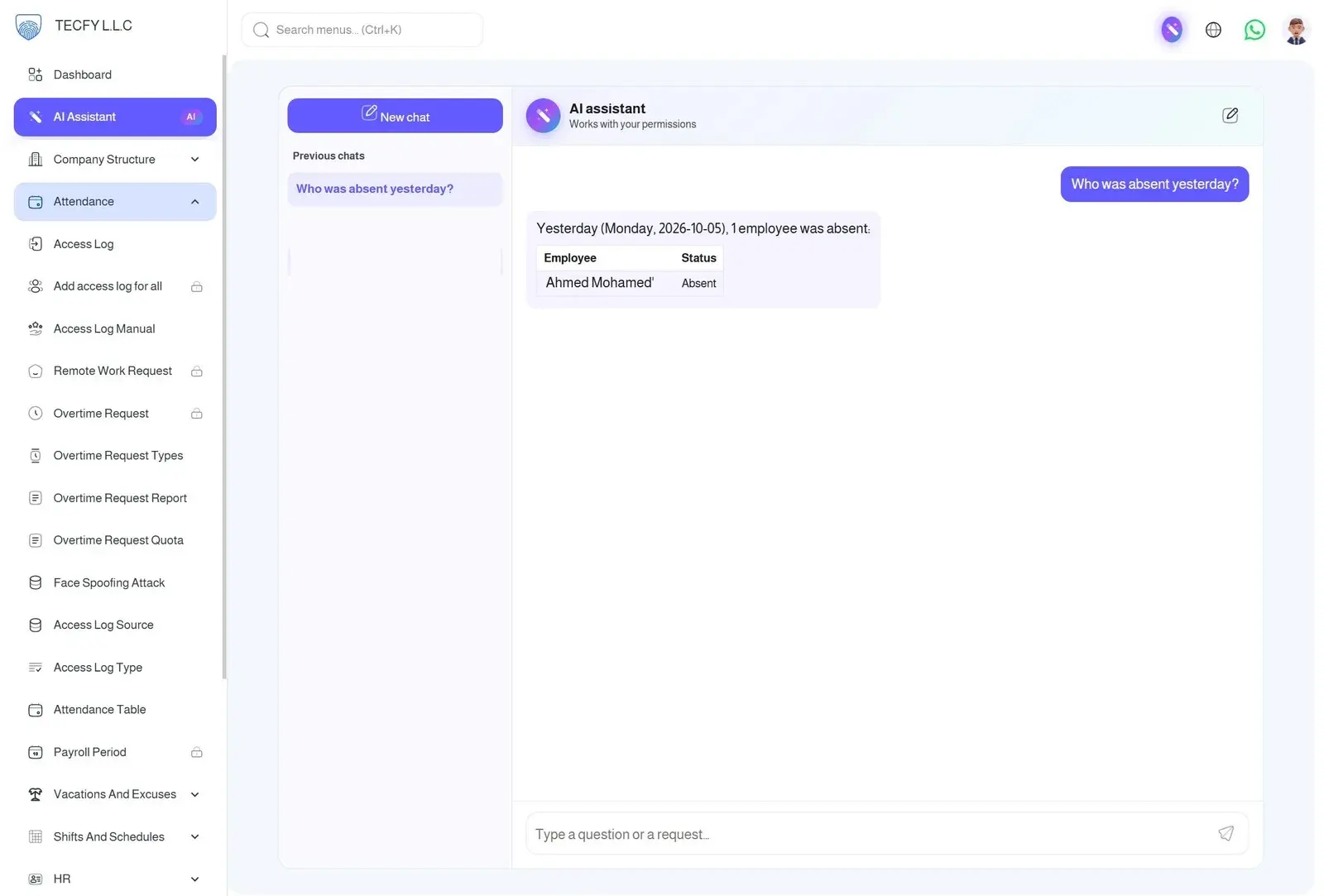
Ask the way you'd ask a colleague
No report builder, no filters to learn. Type a question or a request and the assistant reads your live attendance data to answer.
- Who was late the most this month?
- Who was absent yesterday?
- Total overtime per department last week
- Add a night shift from 10 PM to 6 AM
Attendance reports in seconds
Answers come back as clear tables right in the chat — then ask a follow-up to drill in.
Rank employees
Who was late, absent, left early, worked overtime or put in the most hours — over any date range up to a year.
Totals per department
Late minutes, absence days, overtime or worked time summed for each department, side by side.
Status for any day
Who was absent, late, hasn't checked in yet, on vacation or working remotely on a given date.
Counts and lookups
Search, count and total any records you can see — employees per department, open requests, and more.
Set up the system by asking
Skip the forms for routine admin work. Describe what you need and the assistant prepares it for you.
Add and update employees
"Add a new employee named Mahmoud in Sales" — or change a field on an existing record.
Create shifts
Morning, evening or overnight shifts with the times you describe.
Assign shifts in bulk
Assign a shift to selected employees or whole departments for every day of a date range.
Departments
Add or rename departments as your structure changes.
Vacations and excuses
Record a vacation or an excuse for an employee without hunting through screens.
Nothing changes without your OK
The assistant never saves anything on its own. Every addition, edit or deletion is shown to you on a card first.
- See exactly what will change — old value → new value
- Press Confirm to apply it, or Cancel to drop it
- Runs through the same validation as the panel's own forms
- Unconfirmed requests expire after 15 minutes
Safe by design
Works with your permissions
It sees only what you can see and does only what you're allowed to do, including department scope.
Sensitive areas are off-limits
Users, roles, permissions and company settings are blocked, and passwords, tokens and biometric data are never sent to the AI.
Your company's data only
Every question is answered from your company's data alone — never mixed with another tenant.
Saved conversations
Pick up a previous chat where you left off, or start a new one at any time.
Reaches support for you
Stuck? Ask it to open a ticket with Tecfy support — the conversation is attached automatically.
How it works
Ask
Type a question or request in Arabic or English from any page of the panel.
It reads your data
The assistant looks up live attendance records using your own permissions.
Answer or proposal
Questions get a table; changes come back as a card for you to review.
You decide
Confirm to apply the change, or keep asking follow-up questions.
Frequently asked questions
What is the Tecfy AI assistant?
+
It is a chat assistant built into the Tecfy Attendance HR & Admin panel. You ask questions about attendance in plain language and get answers as tables, or ask it to add and update employees, shifts, departments, vacations and excuses.
Which plans include the AI assistant?
+
The AI assistant is available on every Tecfy Attendance plan, including the free plan.
Does it work in Arabic?
+
Yes. Arabic is the default and English is fully supported — the assistant replies in the language you write in.
Can the AI change my data without me?
+
No. The assistant can only propose a change. Nothing is saved until you review the card and press Confirm, and unconfirmed requests expire after 15 minutes.
Who can use it, and what can they see?
+
Any user of the admin panel can use it, but it works strictly within that user's permissions and department scope. User accounts, roles, permissions and company settings are always off-limits.
How up to date are the attendance figures?
+
Attendance is recalculated every two hours, so figures for today may lag slightly behind the latest punches.
Let AI handle your attendance questions
Create a free account and ask your first question in minutes.
Download App

